Compete without losing control.
You get a handle and leaderboard rank from day one. Your public profile only goes live when you switch it on.
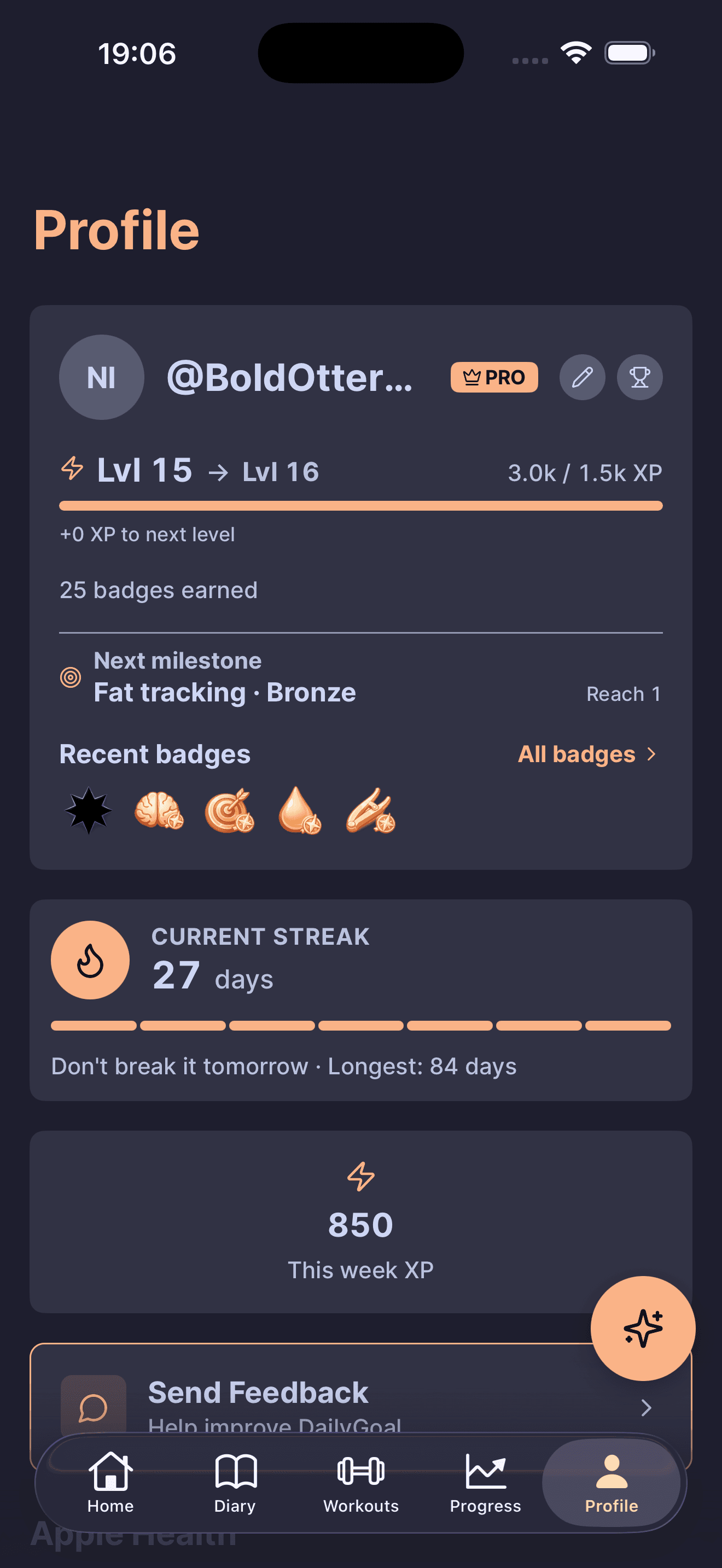
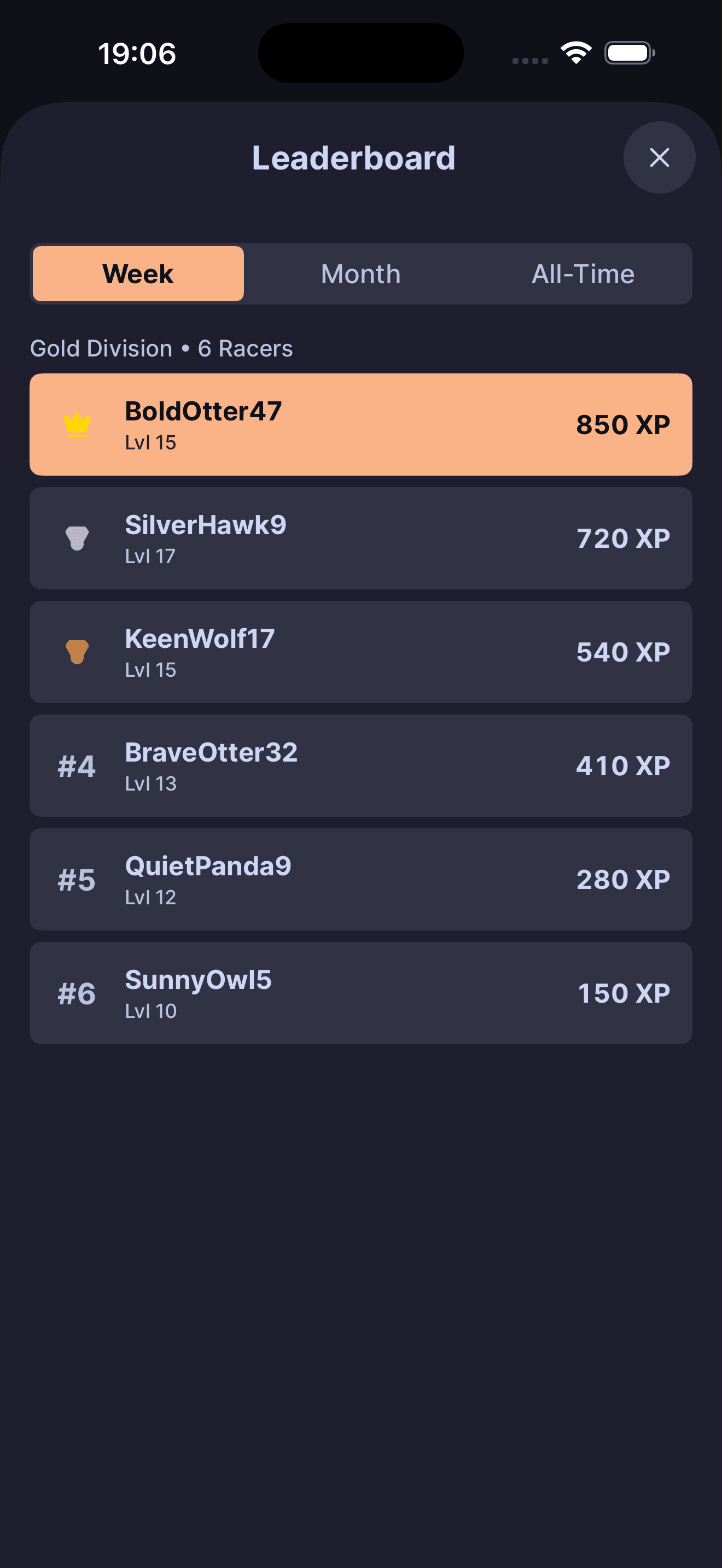
Your handle is on the boards. Your profile page isn't.
From signup, your handle appears on the Week, Month, and All-Time leaderboards alongside your level, weekly XP, and division. The standalone profile page stays off until you turn it on in settings.
- On by default: handle, current tier, weekly XP, and division on the leaderboards
- Off by default: the public profile page at dailygoal.fit/u/your-handle
- Opt out of the leaderboard and your public profile goes blank too, even if its toggle is on
- No feed, no follows, no comments, no DMs
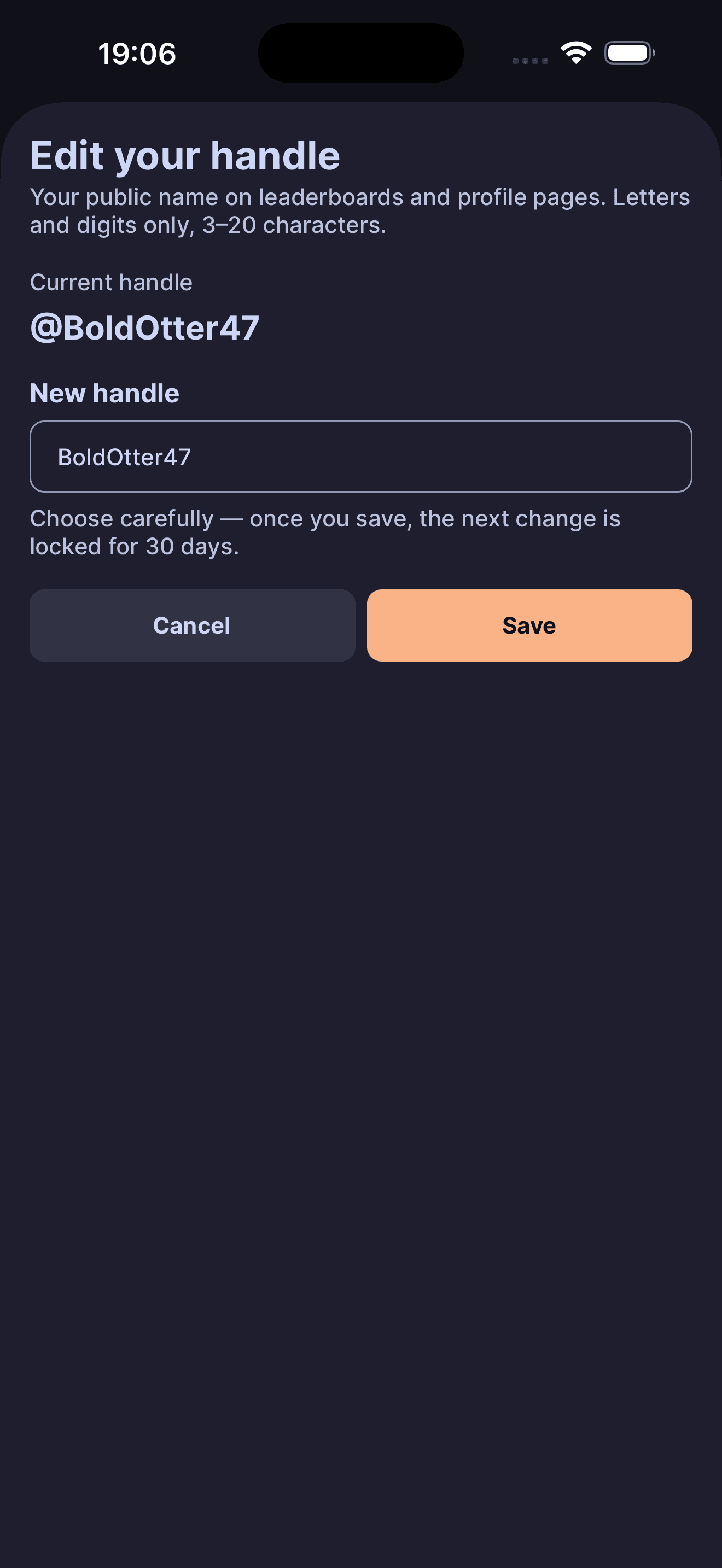
Pick a handle, or keep the assigned one.
Every account gets an auto-generated handle so you are not a blank row. Change it if you want. Your handle is how you appear wherever activity is visible.
- Auto-assigned at signup so you are never a blank row
- Three to twenty alphanumeric characters
- Case-insensitive uniqueness
- Profanity filter on edits
- Thirty-day cooldown between changes
Week, month, all-time.
Three boards refresh as activity lands, so you can compare this week, this month, or all-time progress.
- Week: a small bucket inside your division, sorted by weekly XP. Reshuffles every Monday
- Month: division-wide top fifty by month-to-date XP
- All-Time: global ranking by lifetime XP
- Want out? Toggle leaderboard participation off and you disappear from all three
Bronze to Diamond, one week at a time.
Everyone starts Bronze. Each week your bucket finish moves you up, holds you, or drops you one tier.
- Bronze, Silver, Gold, Sapphire, Ruby, Diamond
- Weekly promote, hold, or demote based on bucket finish
- Tier shows on your profile and next to your handle on boards
- Long absences cost ground; coming back makes it up
Turn it on and dailygoal.fit/u/your-handle goes live.
When you turn the public profile toggle on, dailygoal.fit/u/your-handle becomes a shareable page with your tier, XP, and earned badges.
- URL stays dark until you enable it
- Public visibility needs both: profile toggle on and leaderboard participation on
- Disable either one and the page goes blank
- Shareable by link, QR, or social bio
Two toggles, your call
Stay on the boards, keep the page off
This is the default. Your handle, tier, weekly XP, and division show on the leaderboards. Your public profile URL stays unavailable.
Turn the public page on
Settings, Profile, Public profile. Your /u/your-handle page goes live with your tier, XP, and badges.
Go fully private
Settings, Privacy, toggle leaderboard participation off. You disappear from all three boards, and your public profile page goes blank even if its toggle is on.
Your handle, your call.
Stay on the boards, share a profile, or keep the page private. Every switch is yours.